SAMPLE REPORT
Student Progress Report
An illustrative example: one student's six-week progress, shown three different ways. Click any card for the full report.
ClassLedger helps teachers and tutors turn everyday student records into clear, professional progress reports for families.
An illustrative example: one student's six-week progress, shown three different ways. Click any card for the full report.
Whatever kind of educator you are, ClassLedger fits how you already work.
Show families the progress made in every lesson.
Track student growth without spending hours writing reports.
Give every educator a consistent, professional reporting workflow.
You already know how each student is doing. ClassLedger helps you turn that knowledge into a report parents actually read — without giving up your evening.
No more scattered notes across notebooks, spreadsheets, and texts to parents.
Enter what you observed — ClassLedger helps draft a polished report from it.
Make a session's worth of progress visible, not just a grade.
Four steps — the same steps you already follow, just faster.
Enter grades, notes, and observations — or bulk-import a class spreadsheet in seconds.
ClassLedger organizes the information and highlights what's actually changed.
AI helps draft a clear narrative — you review and edit every word.
Save, print, or share the finished report with families in minutes.
Real output from the product — not projections.
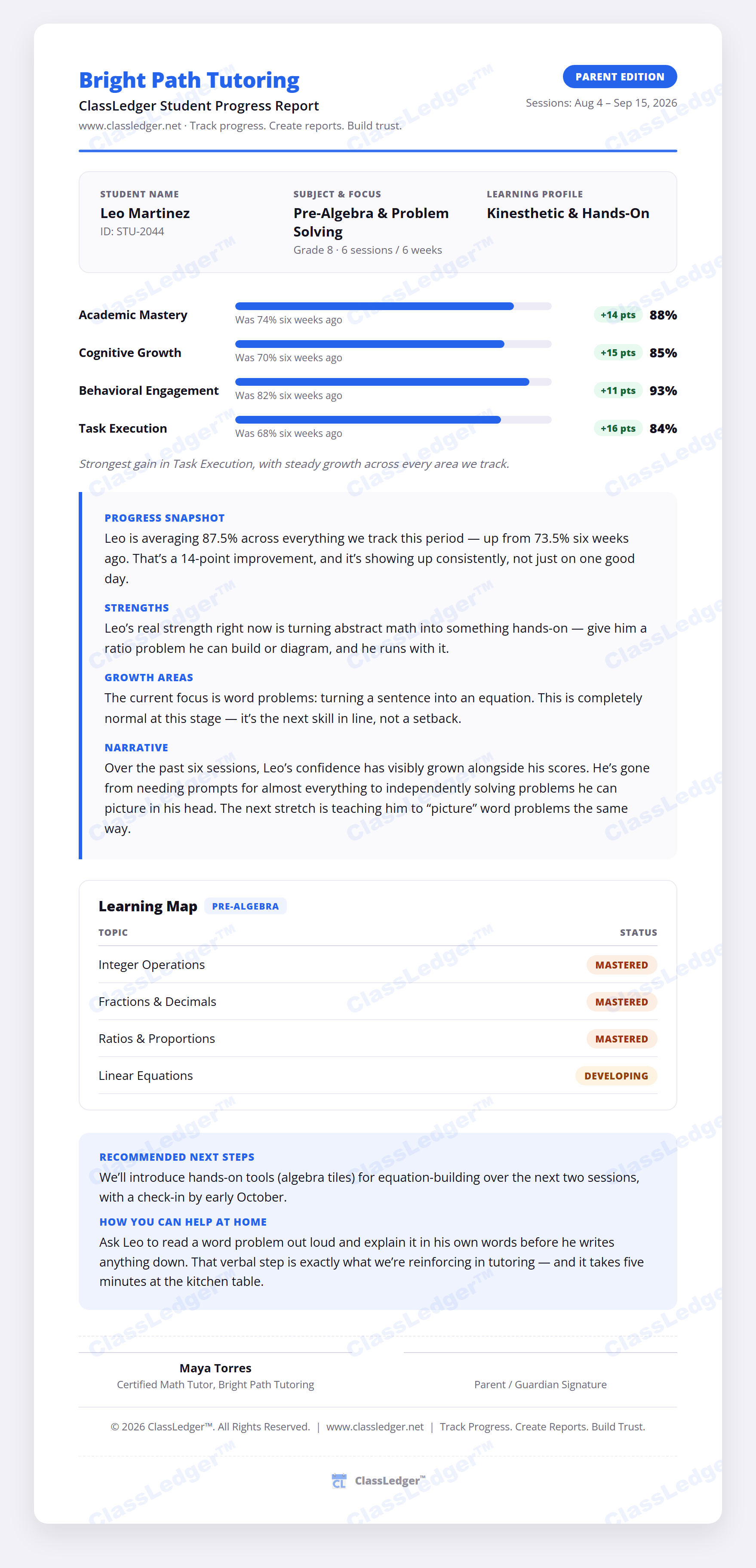
An encouraging, plain-language report families can actually read — built from scores you already have.
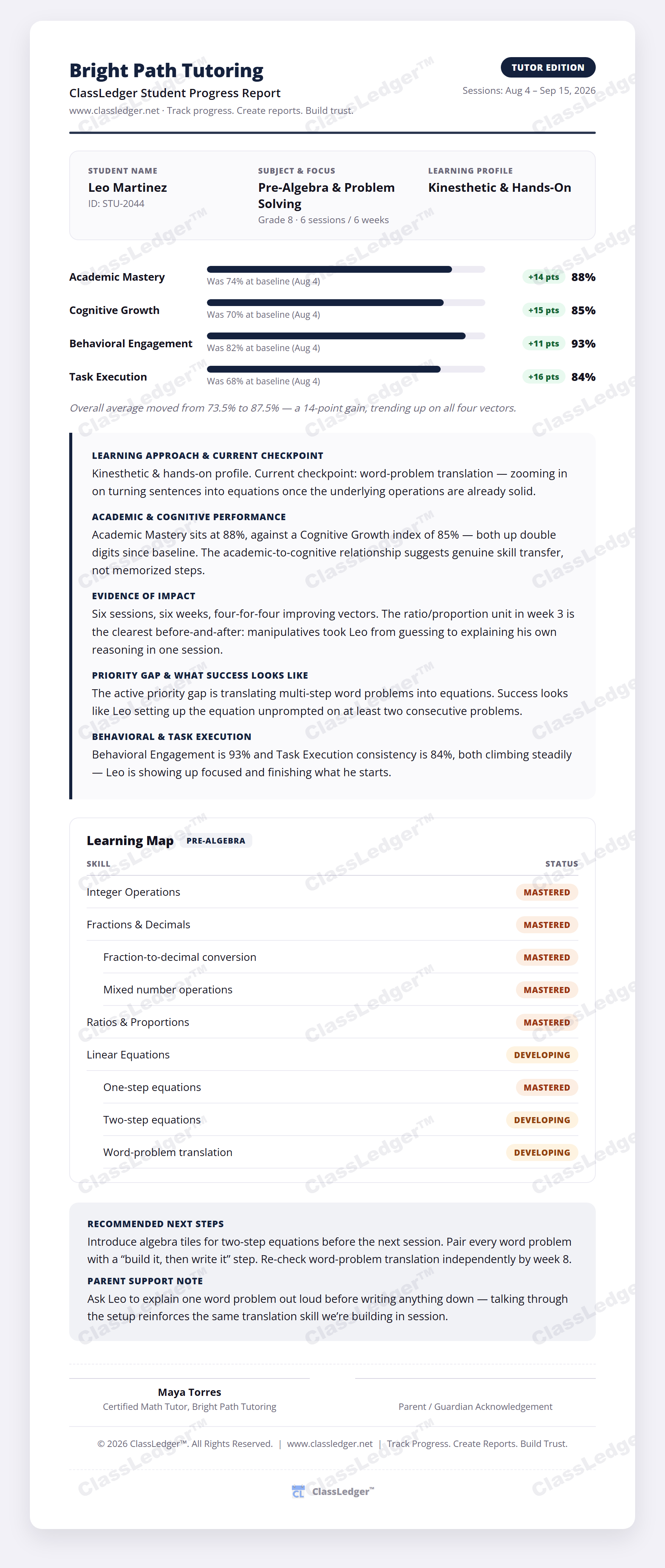
The same evaluation, reframed for internal use — strengths, growth areas, and next steps at a glance.
Import a class spreadsheet once and generate every student's report card in the same pass.
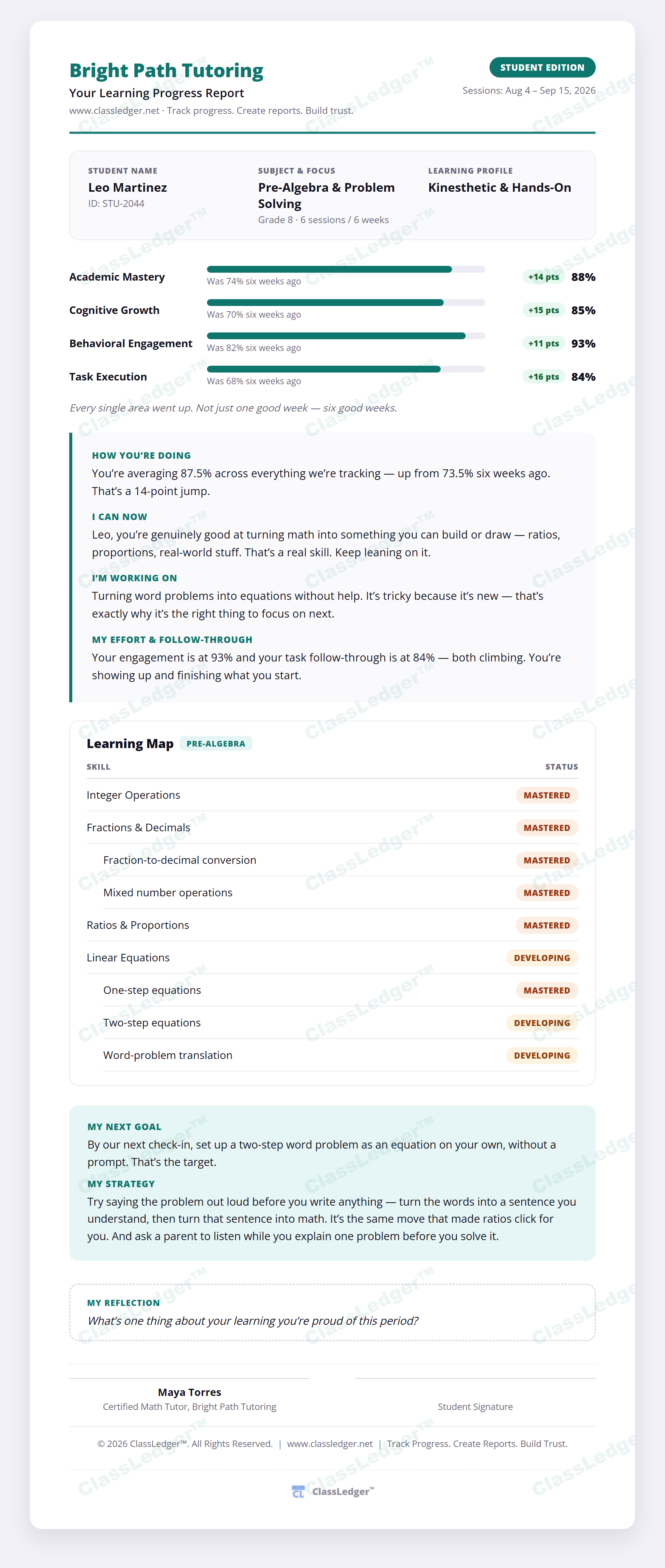
A friendly, easy-to-read version written straight to the student — so they see their own progress, not just hear about it secondhand.
Built with KVKK in mind from day one — because your students' data deserves more than a checkbox.
Student names are encrypted in the browser before they ever reach our servers — mandatory for every class, not an opt-in extra. We structurally cannot read a name we were never given the key to decrypt.
Delete a student, class, report, or your entire account yourself, instantly, from Settings — no support ticket required. Anything left inactive for 12 months is automatically and permanently removed.
We tell you exactly where your data lives and who touches it in our Privacy Policy — no vague "industry-leading security" claims, just the facts.
Report narratives are generated entirely on our own servers using deterministic logic — never sent to a third-party AI provider, never used to train anything.
Every report already compares a student against their last evaluation. Progress Timeline will turn that history into a full month-by-month view.
See how progress comparisons work today →"Algebra performance has improved consistently over the last three months, particularly in equation solving." — the kind of trend this view will make obvious at a glance.
Professional progress reporting that saves time, makes growth visible, and keeps families informed.
For educators who want to try ClassLedger with a real class.
$190/yr — 2 months free
For independent tutors and dedicated teachers who want professional reporting without the extra work.
$890/yr — 2 months free
For tutoring centers and multi-educator teams that need reporting built around their own curriculum.
Every plan includes your logo and institution name on reports.
Choose the level of reporting support that fits the way you teach.
| Starter | Pro MOST POPULAR | Advanced | |
|---|---|---|---|
| Best for | Trying ClassLedger | Independent educators | Centers & teams |
| Main value | Professional reports | Save reporting time | Standardize & customize reporting |
| Classes & students | 1 class / 10 students | Unlimited | Unlimited |
| AI-assisted narratives | — | ||
| Parent / Teacher / Student reports | — | ||
| Learning Maps | — | ||
| Custom Learning Maps & skill trees | — | — | |
| Admin / multi-educator roles | — | — | |
| Institutional branding | |||
| Custom evaluation criteria | — | — |
Advanced adds the tools organizations need to standardize reporting while keeping their own curriculum and evaluation approach.
Turn your next lesson record into a professional report in minutes.
Start Free